
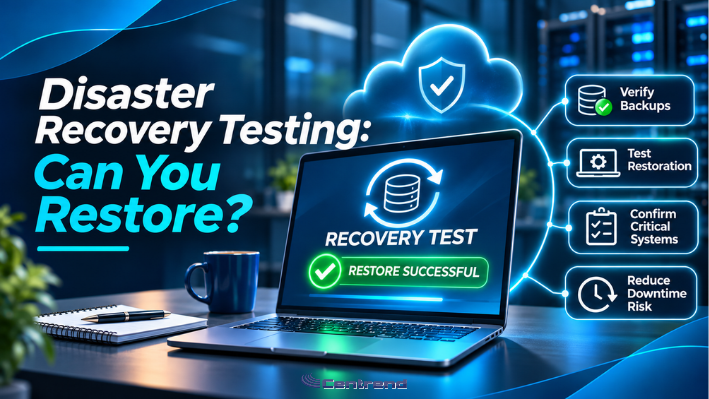
Disaster Recovery Testing is what separates having a backup from knowing your business can recover.
Your backup system says everything is protected.
The dashboard shows green.
The files are saved.
The reports look normal.
But what happens when your server fails, your systems become unavailable, or ransomware disrupts your operations?
Can your business actually restore what it needs?
That is the question too many businesses leave unanswered until something goes wrong.
The Problem: A Backup Is Not a Recovery Plan
Many businesses assume that successful backups mean they are protected from downtime.
But completing a backup is only one part of recovery readiness.
A backup can exist without proving that every critical system, file, application, or connection can be restored correctly.
And when an outage happens, those gaps can become serious business problems.
Consider the impact:
- Employees cannot access critical files
- Customer orders stop moving
- ERP systems become unavailable
- Reports and business data cannot be accessed
- Communication slows down
- Recovery takes longer than expected
The real risk is discovering your recovery problems during an actual emergency.
Why Disaster Recovery Testing Matters
When technology goes down, your business needs more than saved files.
It needs working systems.
Restored applications.
Accessible information.
Connected workflows.
And a clear plan for getting people back to work.
Without recovery testing, leadership may not know whether backups are complete, how long restoration could take, or which systems should come back first.
A backup tells you data was saved. A recovery test helps prove it can be used again.
The Hidden Gaps Businesses Often Miss
Recovery problems do not always come from missing backups.
They can come from the details nobody checked.
1. Backups That Have Never Been Restored
A successful backup notification does not prove that the information can be recovered correctly.
Test restoration to confirm the files and systems are usable.
2. Recovery Steps Nobody Owns
Who starts the recovery?
Contacts the IT provider?
Who decides which systems come back first?
Without clear ownership, confusion can delay the response.
3. Systems That Depend on Each Other
Your ERP, cloud applications, network, user access, and business files may rely on connected services.
Restoring one component does not always restore the entire workflow.
4. Recovery Times That Do Not Match Business Needs
A business may be able to restore its systems, but not within the time operations require.
That is why recovery goals should reflect business priorities, not assumptions.
5. Backups That Are Not Properly Protected
Backups can also become targets during a cyberattack.
Protected copies, controlled access, and recovery procedures help reduce that risk.
The strongest recovery plan addresses these gaps before downtime begins.
AI Makes Recovery Planning Even More Important
AI is becoming part of everyday business work.
Teams may use it to summarize reports, organize information, automate repetitive tasks, or support customer communication.
But AI still depends on reliable systems, approved information, and connected workflows.
If the underlying business systems become unavailable, AI-supported work may stop too.
That raises another important question:
If your critical systems fail, can your AI-supported workflows recover too?
Businesses should identify which data sources, integrations, configurations, and applications support important AI processes.
They also need to understand what their vendors actually back up and what must be restored separately.
AI can help businesses work faster.
It does not replace the need for reliable recovery planning.
The Better Approach: Test Before You Trust
Disaster Recovery Testing should be part of a practical business continuity strategy.
Start with five essential steps.
1. Identify Critical Systems
Determine which applications, files, networks, and business processes must be restored first.
2. Verify Your Backups
Confirm that important data is included, backup jobs are completing, and protected copies are available.
3. Perform Recovery Tests
Restore selected files, applications, or systems in a controlled environment and confirm they work correctly.
4. Document the Recovery Process
Define responsibilities, recovery priorities, communication steps, and who approves the return to normal operations.
5. Review and Improve
Use the results to identify gaps, update procedures, and plan future testing as systems and business needs change.
Do not just ask whether your business has backups.
Ask whether those backups can help restore operations when they are needed most.
How Centrend Helps
At Centrend, disaster recovery is about more than storing copies of business data.
It is about helping businesses prepare for disruptions with clearer technology planning, stronger IT support, and practical recovery readiness.
Through Managed IT Services, cybersecurity, and backup and disaster recovery guidance, Centrend helps businesses assess recovery risks, review critical systems, and strengthen business continuity planning.
The focus is simple:
Protect critical information.
Reduce avoidable disruption.
Improve recovery readiness.
Keep business operations moving.
Because the right technology partner should help your business prepare before an outage, not just respond afterward.
TL;DR
- A successful backup does not guarantee successful recovery.
- Disaster Recovery Testing helps identify hidden restoration problems.
- Critical systems need clear recovery priorities.
- AI-supported workflows also depend on recoverable systems and data.
- Protected backups and documented procedures improve readiness.
- Proactive testing helps businesses prepare before an outage happens.
Your Backup Is Only as Good as Your Recovery
Your business depends on technology every day.
But when that technology becomes unavailable, confidence should come from testing, not assumptions.
Do not wait for an outage to discover whether your recovery plan works.
Centrend helps businesses review backup readiness, identify recovery gaps, and build a clearer approach to protecting critical operations.
Can your business actually restore what matters most?
Contact Centrend to discuss your backup and disaster recovery readiness.